
How I Solved Raspberry Pi Zero Overheating Under Heavy Python Workloads with Thin Client Setup?
When a Raspberry Pi Zero runs CPU-heavy Python continuously, it overheats, throttles, and becomes unstable. The RootSaid Fix is to keep the Pi as a Thin Client and offload heavy computation to AWS Lambda, so the Pi stays responsive while the cloud does the work. This article shows the exact prime-number test I ran on…
When a Raspberry Pi Zero runs CPU-heavy Python continuously, it overheats, throttles, and becomes unstable. The RootSaid Fix is to keep the Pi as a Thin Client and offload heavy computation to AWS Lambda, so the Pi stays responsive while the cloud does the work. This article shows the exact prime-number test I ran on the Pi and on Lambda, plus the IAM user setup and security rules needed to avoid accidental exposure.
The specialized Python fix and the specific failure logs from our hardware testing are detailed at the very bottom of this article.
Why do Raspberry Pi Zero projects randomly freeze or crash?
I ran into this problem repeatedly at the RootSaid lab while testing Pi Zero automations that were “fine” for a few minutes and then suddenly became unresponsive. It looked like a software bug at first, but the pattern was always the same under load.
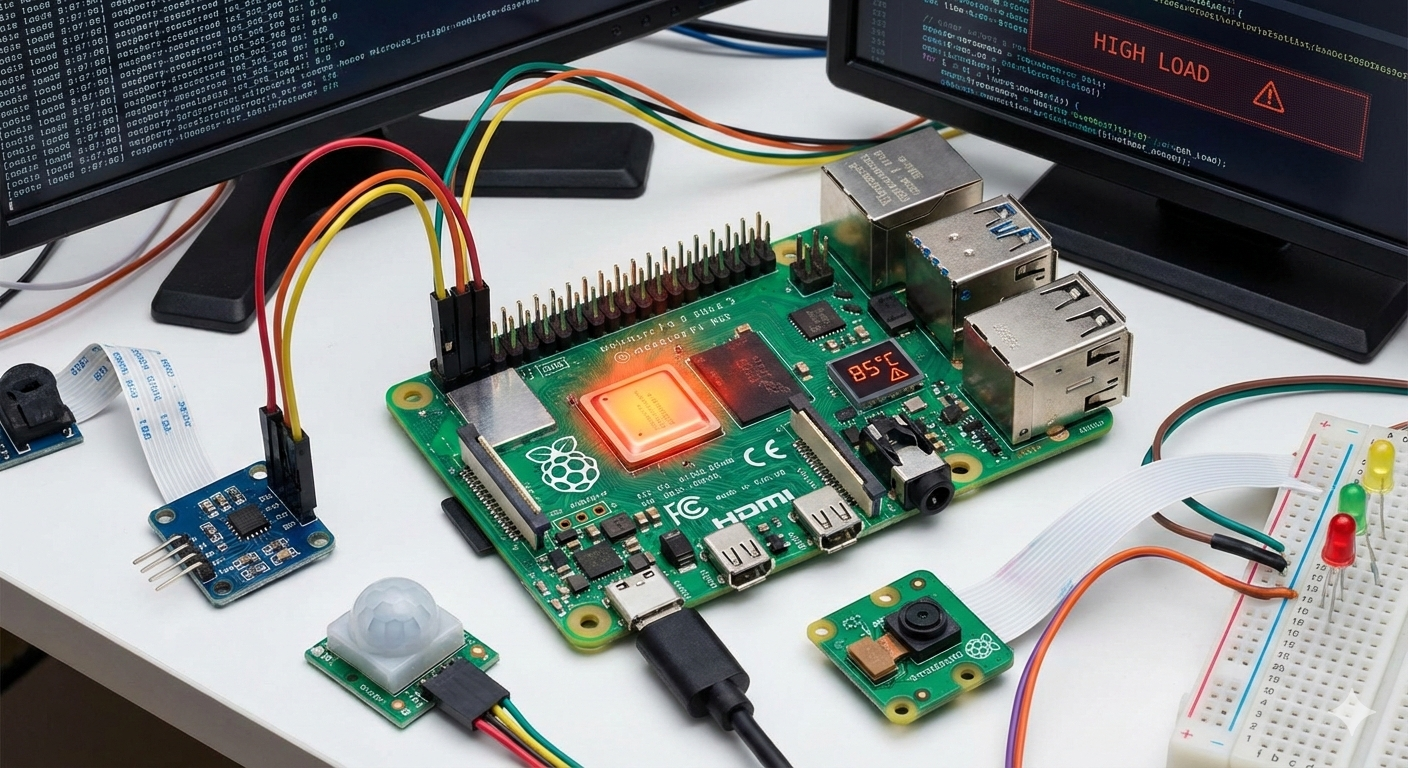
The Pi Zero has limited CPU headroom and limited thermal capacity. When a Python workload stays CPU-bound for long stretches, the board can throttle and the system can become slow enough that network and background services start failing. A lot of clean code can still fail if it forces the hardware into a bad operating condition. The failure often occurs because the Pi is operating at its limit, not because the algorithm is wrong.
In my tests, the same prime calculation behaved differently depending on how much CPU the Pi had available for everything else. This is the part beginners miss, because the code “looks correct” but the system still collapses.
What simple solution actually works for beginners?
The simplest fix is architectural, not magical. You keep the Pi responsible for GPIO, sensors, display, and basic logic, and you move heavy computation to a cloud function that runs only when called.


This is beginner-friendly because you do not need to master CPU optimization first. You just learn a clean split between “edge control” and “cloud compute.”
Why is cloud computing the future for small devices?
Most modern systems already use the cloud as a compute extension. Phones, smart cameras, smart speakers, and industrial IoT devices all depend on cloud services for heavy processing.
Learning this pattern early makes your projects scale beyond hobby limits. It also helps you understand real-world engineering, where devices are designed to stay stable and offload bursts of work.
What is AWS Lambda in simple terms?
AWS Lambda is a service that runs your code on-demand without you managing a server. You upload code, set how it should be triggered, and AWS executes it when a request arrives.

You pay only for execution time and allocated memory. For a small test like the prime calculation here, the cost per run is usually around 0.000001 USD, depending on runtime and memory settings.
What experiment did I use to prove this problem?
I used prime number calculation because it is easy to explain and genuinely CPU-heavy. The task is to compute the 250,000th prime number using a straightforward primality test.
This is not a fake delay. Every result depends on real math, and the runtime changes with CPU speed and throttling.
What happened when the calculation ran on the Raspberry Pi?
When I ran the prime calculation locally on the Pi Zero, CPU usage stayed close to saturation for long periods. Temperature increased steadily while the system became less responsive under the sustained load.
To make the test “visible”, I printed a new line periodically showing elapsed time, CPU usage, CPU temperature, and the last prime found. This is the quickest way to demonstrate why a Pi Zero feels stable at first and then suddenly slows down.
How did I compare Raspberry Pi versus AWS Lambda in a way beginners understand?
I used the same algorithm in both places. The only difference was where it ran.
The Pi version measured CPU temperature and CPU usage. The Lambda version reported computation time and returned the prime result, which is the cloud-friendly way to evaluate performance.
| Category | Raspberry Pi Zero | AWS Lambda |
|---|---|---|
| Where code runs | On your device | On AWS-managed compute |
| What you observe | CPU usage and temperature | Duration and result |
| Reliability under load | Can degrade over time | Designed for burst compute |
| Typical cost per run | No cloud bill | About 0.000001 USD per run |
How do I run the prime test locally on the Raspberry Pi?
This is the Pi-side script I used to calculate primes while printing CPU temperature and CPU usage in separate lines. It uses only standard Linux files for monitoring, so there are no extra Python libraries required.
import time
import math

TARGET_NTH_PRIME = 250_000
REPORT_EVERY = 2000

def read_pi_temp_c():
    try:
        with open("/sys/class/thermal/thermal_zone0/temp", "r") as f:
            return float(f.read().strip()) / 1000.0
    except Exception:
        return None

def cpu_percent_from_proc(prev):
    with open("/proc/stat", "r") as f:
        parts = f.readline().split()
    vals = list(map(int, parts[1:]))

    idle = vals[3] + (vals[4] if len(vals) > 4 else 0)
    total = sum(vals)

    if prev is None:
        return 0.0, (idle, total)

    prev_idle, prev_total = prev
    diff_idle = idle - prev_idle
    diff_total = total - prev_total
    if diff_total <= 0:
        return 0.0, (idle, total)

    usage = 100.0 * (1.0 - (diff_idle / diff_total))
    usage = max(0.0, min(100.0, usage))
    return usage, (idle, total)

def is_prime(num: int) -> bool:
    if num < 2:
        return False
    if num == 2:
        return True
    if num % 2 == 0:
        return False
    limit = math.isqrt(num)
    for i in range(3, limit + 1, 2):
        if num % i == 0:
            return False
    return True

def nth_prime_generator(n: int):
    count = 0
    num = 1
    while count < n:
        num += 1
        if is_prime(num):
            count += 1
            yield count, num

def main():
    start = time.time()
    prev = None
    last_print_t = start
    last_count = 0

    for count, prime in nth_prime_generator(TARGET_NTH_PRIME):
        if count % REPORT_EVERY == 0 or count == 1:
            now = time.time()
            elapsed = now - start

            cpu, prev = cpu_percent_from_proc(prev)
            temp = read_pi_temp_c()
            temp_str = f"{temp:.1f}C" if isinstance(temp, (int, float)) else "N/A"

            dt = now - last_print_t
            dp = count - last_count
            interval_rate = (dp / dt) if dt > 0 else 0.0
            overall_rate = (count / elapsed) if elapsed > 0 else 0.0

            print(
                f"[{elapsed:7.1f}s] CPU {cpu:5.1f}% | Temp {temp_str:>6} | "
                f"Prime #{count:,} = {prime:,} | "
                f"{interval_rate:,.1f} primes/s interval, {overall_rate:,.1f} avg"
            )

            last_print_t = now
            last_count = count

    total = time.time() - start
    print(f"\nDONE: The {TARGET_NTH_PRIME:,}th prime is {prime:,}")
    print(f"Total time: {total:.2f}s")

if __name__ == "__main__":
    main()
To run it on the Pi, I used a single command. If you want it to run longer than two minutes, increase the target prime index.
python3 pi_primes_live.py
How do I create the Lambda function for the same prime calculation?
This is the Lambda function code I used. It relies only on the Python standard library and returns a JSON response with the prime result and computation time.
import json
import time
import math

def is_prime(num: int) -> bool:
    if num < 2:
        return False
    if num == 2:
        return True
    if num % 2 == 0:
        return False
    limit = math.isqrt(num)
    for i in range(3, limit + 1, 2):
        if num % i == 0:
            return False
    return True

def nth_prime_value(n: int) -> int:
    count = 0
    num = 1
    while count < n:
        num += 1
        if is_prime(num):
            count += 1
    return num

def lambda_handler(event, context):
    body_raw = event.get("body") or "{}"
    body = json.loads(body_raw) if isinstance(body_raw, str) else (body_raw or {})
    n = int(body.get("n", 250000))

    start = time.time()
    result = nth_prime_value(n)
    elapsed = time.time() - start

    return {
        "statusCode": 200,
        "headers": {"Content-Type": "application/json"},
        "body": json.dumps({
            "n": n,
            "prime": result,
            "computation_time_s": round(elapsed, 4)
        })
    }
For simplicity, I used a direct invocation approach from the Pi using AWS credentials. This avoids extra Python signing libraries and keeps the demo beginner-friendly.
How do I create a user who can trigger this Lambda from the Raspberry Pi?

Step 1: Create an IAM user specifically for the Pi.
Do not reuse your personal AWS account keys, because that makes accidents harder to contain.
Step 2: Attach a minimal policy that allows only Lambda invocation for this one function.
If you grant broad permissions, it becomes difficult to control costs and it becomes harder to audit.
Step 3: Generate access keys for that IAM user.
Download the key material once and store it carefully, because AWS will not show the secret key again.
Step 4: Configure those credentials on the Raspberry Pi.
This keeps the Pi ready to send authenticated requests to AWS without embedding secrets in your code.
Here is a minimal IAM policy example you can attach to the IAM user. Replace the region, account ID, and function name.
{
  "Version": "2012-10-17",
  "Statement": [
    {
      "Sid": "InvokeOnlyThisLambda",
      "Effect": "Allow",
      "Action": "lambda:InvokeFunction",
      "Resource": "arn:aws:lambda:us-east-1:123456789012:function:PrimeCalculator"
    }
  ]
}
On the Raspberry Pi, I configured credentials using the AWS CLI. This is the easiest beginner flow and avoids handling signature code in Python.
sudo apt update
sudo apt install -y awscli
aws configure
How do I trigger Lambda from the Raspberry Pi without extra Python libraries?
Step 1: Install AWS CLI on the Raspberry Pi.
This is the simplest way to securely call AWS services without writing your own request signing logic.
Step 2: Create a small Python script that calls Lambda using the CLI.
This keeps your “Thin Client” code tiny and avoids dependency issues.
Step 3: Send the prime index as the payload.
Keep payloads minimal at first so you can debug faster when something breaks.
Here is a thin-client script that triggers Lambda and prints the returned result. Replace the function name and region.
import json
import subprocess

FUNCTION_NAME = "PrimeCalculator"
REGION = "us-east-1"
N_VALUE = 250000

payload = json.dumps({"n": N_VALUE}).encode("utf-8")

cmd = [
    "aws", "lambda", "invoke",
    "--function-name", FUNCTION_NAME,
    "--region", REGION,
    "--payload", payload.decode("utf-8"),
    "response.json"
]

subprocess.run(cmd, check=True)

with open("response.json", "r") as f:
    print(f.read())
If you want to confirm the IAM user is working before scripting, invoke Lambda directly from the terminal first.
aws lambda invoke --function-name PrimeCalculator --region us-east-1 --payload '{"n": 250000}' response.json
cat response.json
What are the best security practices for Lambda in this setup?
The safest beginner approach is to avoid public endpoints until you fully understand access control. Direct invocation with IAM credentials is easier to reason about because you can tightly scope permissions.
These security practices are part of the RootSaid Fix, and they are the ones that actually prevent “surprise bills” and accidental exposure.
- Use a dedicated IAM user for the Pi and scope the policy to one function.
- Rotate access keys periodically and remove old keys you no longer use.
- Never hardcode secret keys inside scripts committed to GitHub.
- Use CloudWatch alarms on Lambda invocations and errors so you notice abuse quickly.
- Limit concurrency on the Lambda function so abuse cannot scale without bounds.
- Prefer a VPC-integrated or private pattern only when you understand the networking tradeoffs.
What goes wrong when Lambda security is not followed?
If you expose a public trigger without proper authentication, anyone who finds it can invoke it repeatedly. That can lead to unexpected cost and it can also flood logs, making real debugging harder.

If you use broad IAM permissions, a leaked key becomes far more damaging. A single leaked key can be used to access unrelated AWS resources that were never meant to be part of your Pi project.
If anything feels unclear, leave a comment and I will incorporate the questions into a separate follow-up video. The full secure setup reference is included in the description link.
Final Thoughts from the RootSaid Lab
If your Raspberry Pi Zero keeps freezing, the problem may not be your code. It is often the workload being forced onto a board that is not built for sustained CPU heat.
Jithin’s troubleshooting method is to keep the Pi stable and offload heavy work to AWS Lambda. Use the Raspberry Pi as the controller, and use the cloud as the brain.
RootSaid Fix Appendix: The exact failure pattern I kept seeing
During repeated runs, the failure pattern was consistent. The system would start normally, then responsiveness degraded as CPU stayed saturated and temperature rose.
This is why I recommend measuring and logging CPU usage and temperature during “simple” tests. This one small habit saves hours of guessing when a failure first happened.