Bypassing the AWS Lambda 250MB Limit: Why EFS is Better Than Layers for AI & Robotics
Struggling with the 250MB AWS Lambda limit? See how I used AWS EFS to host massive Python libraries like OpenCV for Raspberry Pi robotics. No more Layers hell!
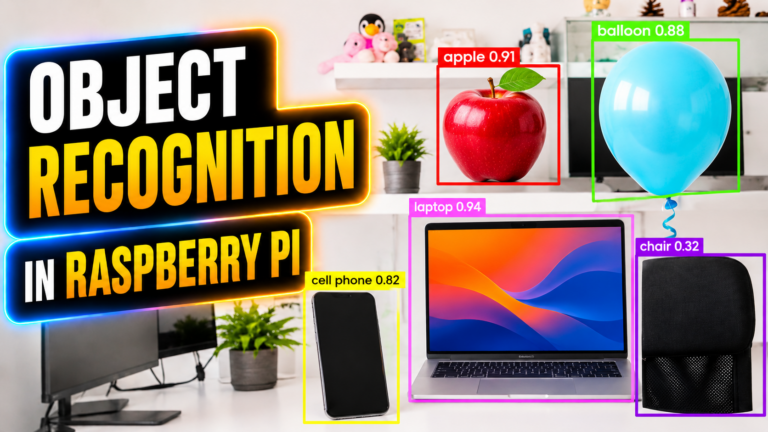
I was working on a project where my Raspberry Pi Zero needed to run a TensorFlow Lite model. Since the Pi Zero isn’t exactly a powerhouse, I decided to use AWS Lambda for the processing. It seemed like the perfect Thin Client model. But then, I hit the wall that almost made me quit the project entirely.
When we are using AWS Lambda to offload heavy tasks like Computer Vision (OpenCV) or Machine Learning (TensorFlow/PyTorch) from your Raspberry Pi, you have likely run into the “Wall.” You try to upload your deployment package, and AWS greets you with this frustrating error:
“Unzipped size must be smaller than 250,735,466 bytes”
Initially, we all try to fix this with Lambda Layers. But as your project grows, even Layers aren’t enough. Today, I’m going to show you why AWS EFS (Elastic File System) is the secret weapon for makers who need “infinite” space for their cloud-connected hardware.
Table of Contents
- The 250MB Wall: Why My Raspberry Pi Project Stalled
- The frustration of offloading AI tasks to the cloud.
- Decoding the Error: “Unzipped size must be smaller than…”
- Understanding the strict limits of AWS Lambda.
- The “Dependency Hell” with Lambda Layers
- Why stripping libraries like OpenCV and TensorFlow isn’t enough.
- The Solution: AWS EFS (Your Cloud Hard Drive)
- How mounting storage changes the game for Robotics.
- Why EFS is the Clear Winner for Makers
- Size limits, deployment speed, and shared persistence.
- EFS vs. Lambda Layers: At a Glance
- A quick comparison for high-performance projects.
- How it Works: The Maker Workflow
- 4 steps to connect your Raspberry Pi to infinite cloud storage.
- The Magic Code: Importing Libraries from EFS
- The Python snippet that fixes your import errors.
- Summary: Stop Fighting the Limit
- See it in Action: Raspberry Pi Zero Cloud Offloading
The Lambda Layers
I didn’t panic at first. I thought, “I’ll just use Lambda Layers. That’s what they’re for, right?”
I spent the next four hours in “Dependency Hell.” I tried stripping out __pycache__ folders, deleting documentation, and even looking for “slim” versions of libraries. But no matter how much I trimmed, once I added the libraries I actually needed for robotics – OpenCV, NumPy, and TensorFlow – I was always over that 250MB limit.


The Problem: Why Lambda Layers Fail Makers
Lambda Layers are great for small libraries like requests or boto3. But for Robotics and AI, our libraries are huge.
- OpenCV-Python: ~60MB
- TensorFlow: ~450MB+
- PyTorch: ~700MB+
Once you hit that 250MB unzipped limit, Lambda Layers become a nightmare of “dependency stripping” and “code shrinking.” You spend more time deleting files than writing code.
The Solution: AWS EFS (Your Cloud Hard Drive)
Think of AWS EFS as a giant external hard drive that stays plugged into your Lambda function. Unlike Layers, which are copied into the function every time it runs, EFS is “mounted.”

Why EFS is the Clear Winner:
- No More Size Limits: EFS scales to petabytes. You can store every library you’ve ever needed without checking the file size.
- Instant Deployment: Since the libraries stay on the EFS drive, you don’t have to re-upload 200MB every time you change one line of code in your Lambda function.
- Shared Persistence: If you have 10 different Raspberry Pis running 10 different Lambda functions, they can all share the same EFS drive and the same libraries.
EFS vs. Lambda Layers: At a Glance
| Feature | Lambda Layers | AWS EFS (The Pro Way) |
| Max Storage | 250 MB (Strict) | Unlimited (Scales automatically) |
| Best For | Small Python helper scripts | OpenCV, AI Models, Large Datasets |
| Setup Difficulty | Easy | Medium (Requires a VPC) |
| Update Speed | Slow (Requires new versions) | Instant (Just swap the file) |
How it Works: The Maker Workflow
To use EFS with your Raspberry Pi projects, the workflow changes slightly, but it makes your life much easier in the long run:
- Create an EFS File System: In the AWS Console, create a standard EFS drive.
- Connect to a VPC: You place your Lambda and your EFS in the same “Virtual Private Cloud.”
- Install Libraries Directly to EFS: You can use an EC2 instance or a special “Helper Lambda” to
pip installyour heavy libraries directly onto the EFS drive. - Mount and Import: Inside your Lambda function code, you simply tell Python to look at the
/mnt/efsfolder for your libraries.
Python
import sys
# Tell Lambda to look for the big libraries on your EFS drive
sys.path.append('/mnt/efs/python-libs')

import cv2 # Now this works, no matter how big OpenCV is!
import tensorflow as tf
Summary: Stop Fighting the 250MB Limit
If you are serious about Cloud Robotics or building “Thin Client” models with Raspberry Pi, stop wasting time with Lambda Layers. They are a tool for web developers, not for hardware hackers building the future.
By switching to AWS EFS, you give your Raspberry Pi projects the room they need to grow. No more stripping dependencies, no more “Size Exceeded” errors-just pure, infinite cloud power.
What’s Next?
If you want to see this in action, check out my latest project:

Here I used this exact method to offload heavy processing and keep my Raspberry Pi Zero running cool!